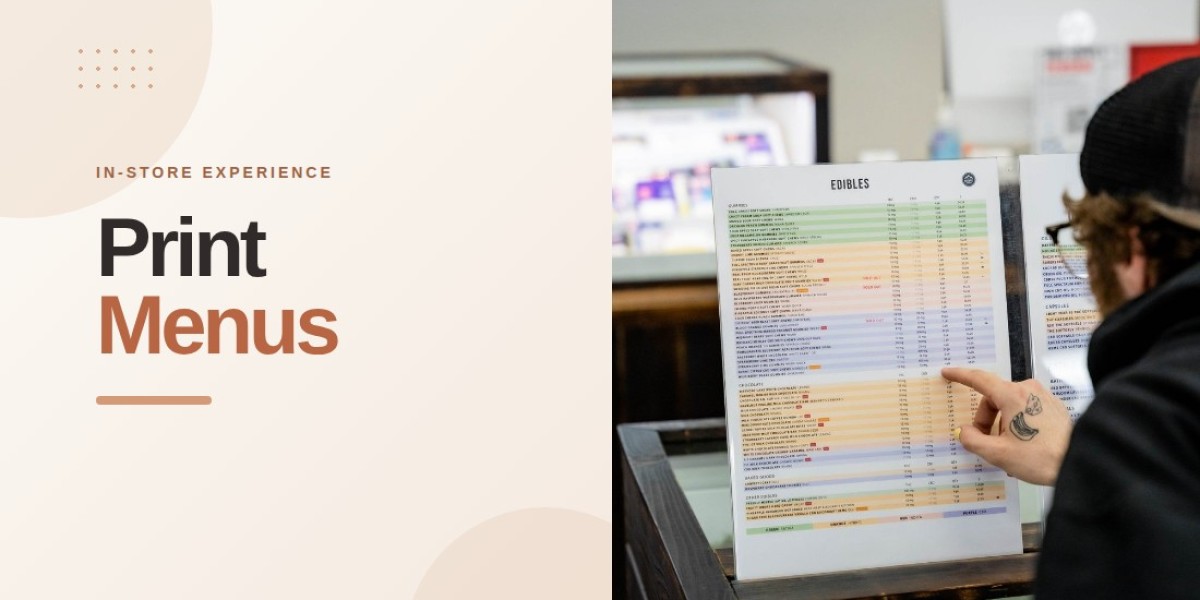

A printed menu often shapes a customer's first impression of a retail business. For cannabis dispensaries, branded dispensary print sheets can present product information in a consistent format while reinforcing the store's visual identity. When headings, colors, spacing, and product details follow a recognizable style, the menu feels more organized and easier to use.
Consistency is especially important when customers review several product categories or visit different branches of the same retailer. A well-designed printed menu helps them understand where information appears and makes the overall shopping experience feel more structured. Rather than relying on decoration alone, dispensaries can build a professional image through clear layouts and thoughtful presentation.
1. Establish a Recognizable Visual Identity
A consistent visual identity helps customers associate printed materials with a particular store. Colors, typography, headings, and brand elements should work together rather than appear as unrelated design choices.
Retailers can begin by selecting a small set of brand colors and using them consistently throughout their menus. Fonts should remain readable, while logos and other identifying elements should be positioned in a predictable location. These details help create familiarity without taking attention away from product information.
The design should also reflect the store's personality. A retailer with a minimalist identity may prefer clean lines and restrained colors, while another may use stronger visual accents. The key is to maintain a recognizable style across every printed menu.
2. Use the Same Structure Across Product Categories
Customers should not need to learn a completely different layout every time they move from one product category to another. Consistent formatting makes it easier to recognize product names, prices, and important attributes.
For example, a dispensary can use the same heading style, spacing, and price placement across its flower, edible, vape, and pre-roll menus. Product-specific details can vary where necessary, but the overall structure should remain familiar.
This approach also benefits employees. Staff can update or review printed sheets more efficiently when information appears in predictable locations. A standardized layout reduces unnecessary variation and makes it easier to identify missing details before menus are distributed.
3. Make Product Information Easy to Read
Professional design is not only about appearance. A menu must communicate information clearly, especially when customers are comparing several products at once.
Retailers should use readable font sizes, sufficient contrast, and enough white space between sections. Overcrowded tables, tiny text, and inconsistent alignment can make even an attractive menu difficult to use.
Each product entry should prioritize the details customers need to compare options. Depending on the product, these may include the product name, brand, price, package size, and relevant cannabinoid information. Additional details should be included when they serve a clear purpose.
A simple test is to print a sample sheet and review it at the distance customers would normally hold or read it. This can reveal spacing and readability problems that may not be obvious on a computer screen.
4. Keep Pricing and Product Details Consistent
Different formatting styles can make customers question whether information has been presented accurately. For example, placing prices in different positions, using inconsistent product names, or displaying cannabinoid values in unrelated formats can make comparisons unnecessarily difficult.
A standardized template helps retailers present similar information in the same way. Prices should follow a consistent format, units should be clearly identified, and product attributes should use familiar labels throughout the menu.
Accuracy is just as important as visual consistency. Retailers should verify printed prices and product details against their current records before distributing new sheets. If a product changes or a promotion ends, outdated copies should be replaced promptly.
5. Adapt Menus Without Losing Brand Consistency
A dispensary may need different printed menus for product categories, customer groups, promotions, or store locations. These variations do not have to weaken the brand's identity.
The most effective approach is to maintain a common design framework while allowing selected elements to change. A promotional sheet might feature a highlighted section, for instance, while retaining the same typography, logo placement, and overall structure as the standard menu.
Branded dispensary print sheets can also be adapted to accommodate different amounts of product information. A category with many relevant attributes may need additional columns, while another may work better with a simpler layout. The design should serve the information rather than force every category into an identical arrangement.
6. Maintain Consistency Across Multiple Locations
For dispensary groups operating several branches, consistent menu formatting becomes an operational priority. Different layouts at each location can make the brand appear fragmented, even when all stores belong to the same business.
Shared templates help teams maintain the same visual standards across locations. Store-specific prices, inventory, and promotions can still be managed where necessary, while the overall design remains recognizable.
BudSense offers customizable print menus and multi-location functionality through its Print Menus Pro solution. Its platform also supports automated updates and scheduled printing, helping retail teams manage printed menu content more efficiently.
7. Review Printed Sheets Before Distribution
Even a well-designed template can produce problems if the final document is not checked before printing. A heading may become misaligned, a product may be missing, or a price may no longer match the current inventory record.
A short review process can help prevent these issues. Before distributing menus, staff should check:
Brand colors, logo placement, and headings.
Product names, prices, and relevant attributes.
Font sizes, spacing, and page alignment.
Missing or duplicated product entries.
Whether the printed information reflects current inventory.
Whether outdated sheets have been removed from circulation.
Retailers that print menus regularly can assign responsibility for these checks and establish a consistent update schedule. Automation can reduce repetitive work, but reviewing the finished material remains a useful quality-control step.
Creating a Consistent Retail Presentation
Using BudSense menu software, dispensaries can customize printed menus, organize product information, and automate updates through compatible point-of-sale integrations. These tools can support a consistent presentation while reducing the need for manual spreadsheet edits and repeated formatting work.
Final Thoughts
Consistent menu formatting helps cannabis retailers create a professional store image by making printed information recognizable, readable, and organized. Brand colors, predictable layouts, accurate prices, and regular quality checks all contribute to a more dependable presentation.
The goal is not to make every sheet look identical regardless of its purpose. Instead, dispensaries should establish a clear visual standard that accommodates different products and promotions without losing the identity customers recognize.
FAQs
1. What are branded dispensary print sheets?
They are printed product menus designed around a dispensary's visual identity, including its colors, typography, headings, and other brand elements.
2. Why does consistent menu formatting matter?
It helps customers locate information more easily, creates a recognizable store identity, and gives printed materials a more organized appearance.
3. What information should a dispensary print sheet include?
Depending on the product category, it may include product names, brands, prices, sizes, THC and CBD details, and other relevant product attributes.
4. How can dispensaries keep printed menus consistent across locations?
Shared templates, standardized design rules, centralized management, and regular quality checks can help maintain consistent formatting while allowing location-specific information.
5. Can printed dispensary menus be updated automatically?
Yes. Menu platforms with compatible POS integrations can automate product information updates and support scheduled printing, reducing manual work for retail teams.