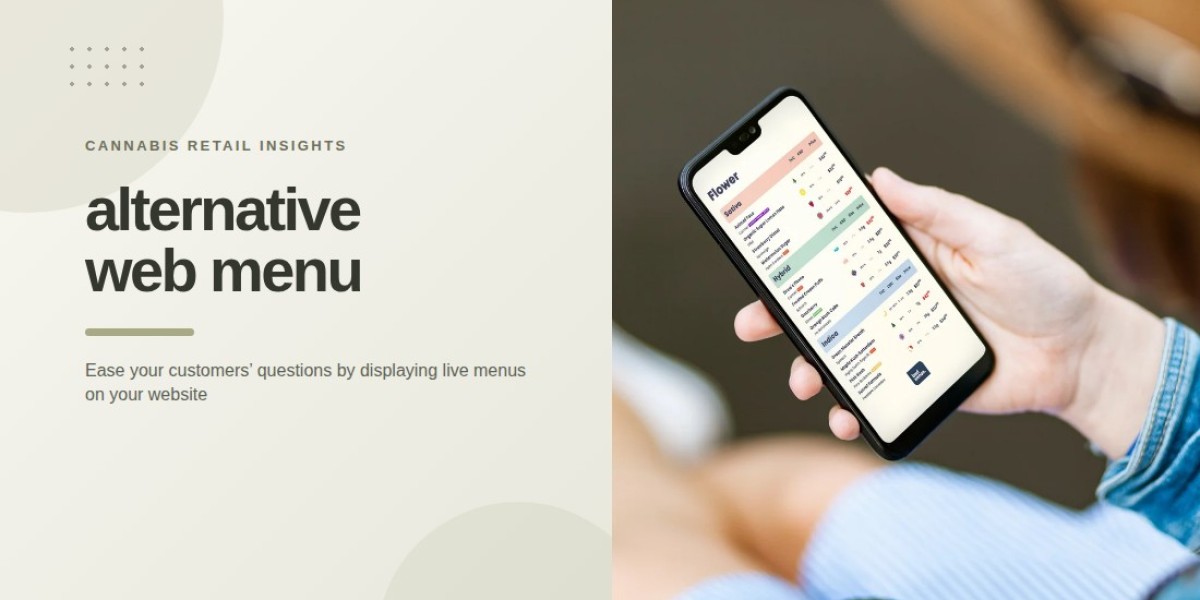

Customers often check a dispensary’s website on their phones before deciding which store to visit. An alternative web menu that works smoothly on mobile devices can make it easier to review available products, compare details, and check current prices. When menus are difficult to navigate on a small screen, customers may struggle to locate information or leave the website before completing their research.
For cannabis retailers, a mobile-friendly web menu offers a practical way to present product information online without necessarily building a complete e-commerce store.
1. Make Product Information Easy to Read
Mobile screens provide less space than desktop monitors, so the layout needs to prioritize clarity. Small fonts, crowded sections, and long blocks of text can make product details difficult to read.
Retailers should use readable typography, clear headings, and enough spacing between products. Important information, such as product names, prices, package sizes, and available cannabinoid details, should be easy to identify without excessive scrolling or zooming.
A clean layout helps customers review the available selection at their own pace. It also makes the website feel more organized and professional.
2. Simplify Navigation Between Product Categories
A dispensary may carry flower, pre-rolls, edibles, concentrates, vapes, and other product types. If all these items appear in one long list, mobile visitors may struggle to reach the category they want.
Clear navigation and well-organized sections make browsing more convenient. Retailers can separate products by category and use filters where supported to help visitors narrow the selection.
For example, someone interested in pre-rolls should be able to reach that category without scrolling through every other product type. A logical structure reduces unnecessary effort and helps customers focus on relevant options.
3. Keep Online Product Availability Current
One of the most important functions of a web menu is showing products that customers can actually purchase in-store. Outdated listings can create disappointment when visitors arrive expecting an item that has already sold out.
A menu connected to the retailer’s inventory management or point-of-sale (POS) system can help keep product availability and pricing current. BudSense's web menus integrate with store inventory so that customers can see information reflecting what is available in-store.
Retailers should still monitor their data connections and verify that updates are working correctly. Reliable information builds confidence and reduces confusion between online browsing and the in-store experience.
4. Help Customers Compare Products
Customers may want to compare several products before making a decision. A useful mobile menu presents relevant details in a consistent format, allowing visitors to understand the differences between available options.
Depending on the product and local regulations, retailers may display:
Product and brand names.
Price and package size.
THC and CBD information.
Strain or product category.
Relevant flavour or ingredient details.
Consistent formatting makes comparisons easier because customers do not have to search different sections for the same type of information. Descriptions should remain factual and concise, with no unsupported claims about product effects or health benefits.
5. Use Filters to Reduce Browsing Time
Filters can make a large product selection more manageable on mobile devices. Rather than scrolling through every listing, customers can narrow the displayed products according to available categories or attributes.
For instance, filters might help visitors browse specific product types or compare items within a price range. Smart filters can also help retailers organize menus around selected product characteristics.
The most effective filtering options are straightforward and relevant to the products being displayed. Too many complicated controls can create the same frustration as a poorly organized menu, so retailers should prioritize the options customers are most likely to use.
6. Design Menus for Different Mobile Screen Sizes
Customers may visit a dispensary website using different phones, browsers, and screen sizes. A menu that works on one device may be difficult to use on another if the design is not responsive.
Retailers should test their web menus on several screen sizes to check that text remains readable, product details fit the available space, and navigation controls are easy to use. They should also avoid layouts that require unnecessary horizontal scrolling.
Performance matters, too. Compressing oversized images and keeping the page structure simple can help create a smoother browsing experience, particularly for visitors using slower connections.
7. Make Product Discovery Consistent With the Store Experience
The online menu should help customers prepare for an in-store visit. When product names, prices, and descriptions are presented consistently across the website and store, visitors can more easily recognize items when they arrive.
Retailers can also use customizable themes, badges, and labels to highlight useful product information. These visual elements should support navigation rather than overwhelm the page with competing messages.
A consistent presentation across web, print, and in-store menus helps customers recognize the retailer's brand while making product information easier to understand.
8. Choose a Web Menu That Fits Retail Needs
Not every dispensary needs a full online ordering platform. Some retailers primarily want customers to browse current inventory, review product details, and plan their store visit.
An alternative web menu can meet that need by providing a lightweight, mobile-optimized product listing without requiring the retailer to build a complete e-commerce experience. BudSense offers embeddable web menus with mobile optimization, customizable layouts, smart filters, and live inventory information.
Before choosing a solution, retailers should consider compatibility with their website and POS system, ease of updating products, mobile usability, and the amount of control they need over the menu's appearance.
For dispensaries looking to coordinate their product information across different formats, BudSense menu software provides tools for managing web, print, and digital menus.
Final Thoughts
Mobile-friendly web menus help cannabis customers browse products with less effort by combining clear layouts, simple navigation, useful filters, and current inventory information. These features can make online research more convenient and help visitors arrive at a store with a better understanding of the available selection.
For retailers, the priority should be choosing a menu that fits their website, inventory workflow, and customer needs. A straightforward mobile experience can make product information more accessible without adding unnecessary complexity.
FAQs
1. Why are mobile-friendly web menus important for dispensaries?
They help customers browse products, compare prices, and review relevant details on their phones without struggling with difficult layouts or navigation.
2. What should a mobile cannabis web menu include?
It may include product names, prices, package sizes, categories, and relevant product details, depending on the inventory and local regulations.
3. Can a web menu show current store inventory?
Yes. When integrated with a compatible POS or inventory system, a web menu can reflect current product availability and pricing.
4. Is a web menu the same as an e-commerce store?
No. A web menu can display products and store inventory for browsing without necessarily offering online checkout or ordering functionality.
5. How can dispensaries improve mobile menu usability?
Retailers can use readable text, clear categories, useful filters, responsive layouts, optimized images, and accurate product information.