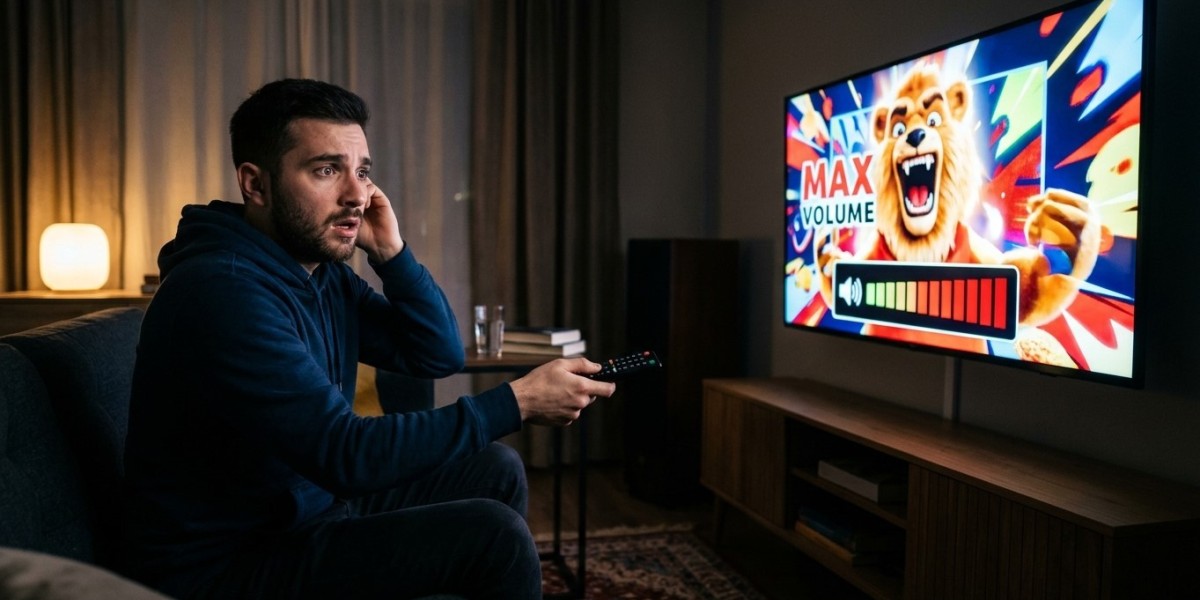

You settle on a quiet drama, turn the volume to a comfortable level, and then a commercial blasts through the room. Or you switch channels and suddenly can’t hear the dialogue. Volume jumps are one of the most common annoyances in TV, and they usually aren’t a fault with your equipment. In this guide, we’ll explain why levels differ, what you can control, and how to even things out for IPTV India on your Indian IPTV Box.
Table of Contents
- The Short Explanation
- Why Channels Differ in Loudness
- Why Ads Sound Louder
- Stereo, Surround, and Downmixing
- Settings That Cause or Cure the Problem
- Step-by-Step Fixes
- Limits of What You Can Fix
- FAQs
The Short Explanation
Every channel is mixed and delivered separately, and nothing forces them all to the same loudness. Programs, commercials, and promos are produced by different people, often compressed differently, and combined at different points before reaching you. Your TV or box usually plays whatever arrives without correcting it, so the differences land in your living room.
Why Channels Differ in Loudness
- Different broadcasters, different standards. Each channel’s mix is set by its own engineers, and levels vary between networks and countries
- Different source feeds. A channel may come from a satellite feed, a studio, or a re-streamed signal, each with its own audio level
- Provider processing. Your provider may re-encode audio, which can shift levels, and different channels may be handled differently
- Different formats. A stereo channel and a surround channel can sound very different in volume when played through the same speakers
- Different content. A dialogue-heavy serial, a music channel, and a live match are mixed to very different loudness targets
Our guides on audio format problems and echo cover other ways audio can behave oddly across channels.
Why Ads Sound Louder
Commercials have a reputation for being louder, and there are real reasons:
- Heavy compression. Ads are often processed to keep the sound at a consistently high level, so they feel louder than a program that has quiet and loud moments
- Different production. Ads are made separately and inserted later, and they may not be matched to the program’s level
- Insertion happens downstream. The broadcaster, provider, or an ad system may drop ads into the stream, and levels can shift at the switch
- Perceived loudness. Sustained, compressed sound seems louder than dynamic dialogue even at the same technical peak
Some countries limit the loudness of commercials. The US has a rule covering TV stations and pay-TV providers, for example. But rules differ by country, and they may not apply to every channel or every kind of delivery. A channel originating elsewhere may follow different standards, or none you can rely on.
Stereo, Surround, and Downmixing
Surround audio is often mixed so dialogue is quieter than effects. When your device converts surround to stereo, called downmixing, dialogue can end up too quiet while loud moments stay loud. A stereo channel with different mixing can then feel much louder by comparison.
If you use a soundbar or receiver, its own processing can change levels again, as can the audio format your box passes through. Our guide to soundbars and ARC explains how the audio path works.
Settings That Cause or Cure the Problem
Many TVs, boxes, and soundbars include tools that tame volume swings. Names vary by brand:
- Auto volume, volume leveling, or smart volume reduces differences between channels and ads
- Night mode or dynamic range compression lowers loud peaks and lifts quiet parts, which also helps with late-night viewing
- Dialogue enhancement or voice mode raises speech clarity
- Loudness equalizer or normalization features on some devices
- Per-input volume offsets on some TVs let you raise or lower an input to match others
- Sound modes, such as Movie or Music, which change how loud and boosted the sound feels
Sometimes the cause is a setting turned on by accident. Virtual surround or heavy effects can exaggerate jumps.
Step-by-Step Fixes
- Find the volume-leveling option. Check your TV’s sound menu for auto volume, volume leveling, or similar, and turn it on
- Turn on night mode or dynamic range control on the TV, box, or soundbar, and test with a few channels
- Use a standard sound mode, and turn off heavy virtual surround or spatial effects
- Check your box’s audio output. Try PCM or stereo as a test, since it removes format-related level changes
- Look for downmix or dialogue settings, and raise the dialogue or center channel level if your soundbar or receiver allows it
- Check your soundbar or receiver’s own settings. Its night mode or compression may work better than the TV’s, and avoid enabling the same effect twice
- Choose one place to control volume. Using both the TV and soundbar controls can make levels confusing
- Compare channels on another device, such as a phone. If the jump appears everywhere, it’s in the source, and not your equipment
- Update firmware and your app, in case a bug affects audio levels
- Restart your equipment so devices renegotiate their audio connection
- Use the mute or sleep timer habits for late nights, and try headphones with their own limiter if your set allows it
- Tell your provider which channels are the worst, with times and examples, if a particular channel is consistently out of line
Change one setting at a time and test with the same channel, so you know what helped.
Limits of What You Can Fix
Be realistic:
- Leveling features smooth differences but can’t remove them completely. Some compression changes the character of the sound
- A badly mixed channel will stay badly mixed. Your equipment can only reduce the problem
- Not every device has these features, particularly older TVs and basic soundbars
- Compression can flatten dynamics, so music and movies may lose some punch. You can switch it on for late-night viewing and off for special occasions
- Live events are unpredictable, and crowd noise and commentary levels vary
If a specific channel is dramatically louder or quieter than the rest, it’s worth reporting.
FAQs
1. Why are ads louder than the show?
Ads are often produced and compressed to sound consistently loud, and they may be inserted without matching the program’s level. Some regions regulate this, but rules vary and may not cover every channel.
2. Will auto volume fix it completely?
It usually helps a lot, but it can’t fix every case. Heavily mismatched channels may still jump somewhat.
3. Why is dialogue quiet on some channels but effects are loud?
That’s often a downmix issue from surround to stereo. Try dialogue enhancement, night mode, or a stereo or PCM output setting.
4. Does my Indian IPTV Box control volume levels?
It may offer audio output and processing options, but most leveling features live in the TV or soundbar. Check the settings on each device.
5. Is it a problem with my subscription?
Usually not. Volume differences come from how channels are mixed and delivered. If one channel is consistently out of line, tell your provider.
Enjoy Comfortable Volume on Every Channel
A few settings can take the edge off loud ads and uneven channels. Pair a dependable IPTV India subscription with a well-configured Indian IPTV Box and audio setup, and keep the volume where you want it. Explore our IPTV plans today and enjoy a calmer, more comfortable viewing experience.