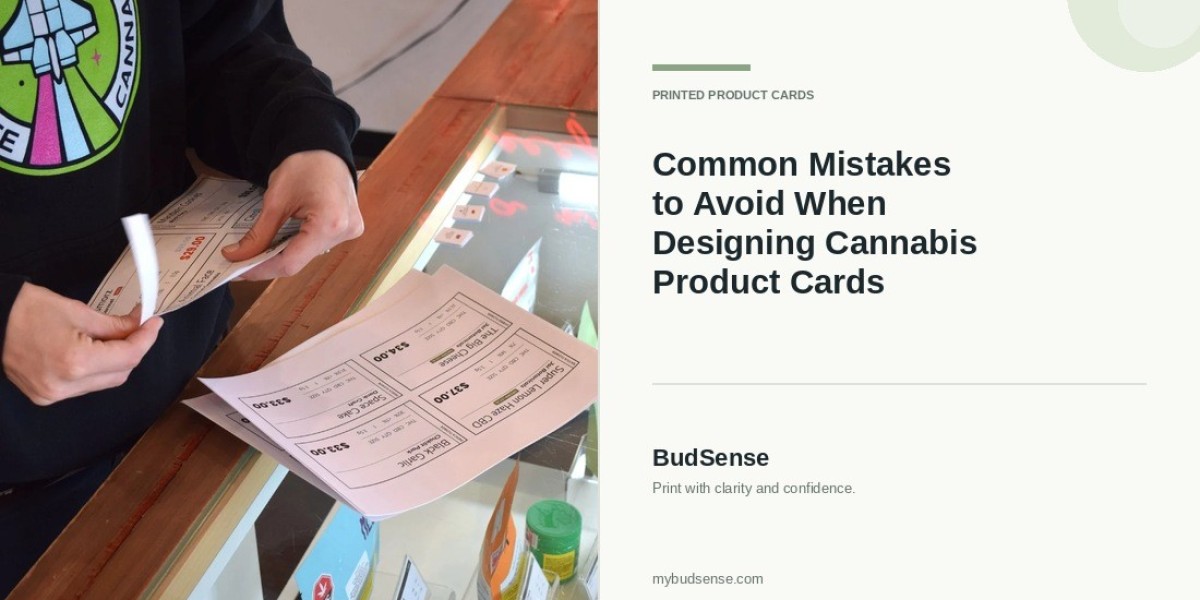

Retail cannabis stores have many ways they can organize and present information about their products. Cannabis product cards can clearly list individual products’ names, pricing, brands, descriptions, and more in a concise space. Cards that are disorganized or difficult to read may leave customers feeling overwhelmed or unsure how to compare their options.
Tips for Designing Cannabis Product Cards
Cards may also complement physical displays by clearly separating products for individual review. Whether they serve this purpose or not, dispensaries can avoid common design pitfalls by ensuring product cards are readable, provide enough information, and fit with the rest of their retail presentation. Here are some mistakes to avoid when designing cannabis product cards.
Including Too Much Information
Don’t overwhelm customers trying to learn about a product by cramming every detail on a single card. Lengthy descriptions, excessive specifications, and unnecessary text create clutter that’s difficult to scan — especially when customers are standing only a few inches away.
Instead, trim product cards down to the information shoppers will need to understand what they’re buying. Cards may include names, brands, categories, pricing, product size, and brief descriptions. Other specifications can be conveyed by staff or supplemental information if a customer has additional questions.
Keeping the layout concise also allows stores to keep cards uniform across a large selection of products. Instead of sprinkling paragraphs of text across a card’s surface, know what details every card should communicate.
Using Small or Difficult-to-Read Fonts
Another factor that impacts readability is the card’s font size. Text that is perfectly readable on the computer may become illegible after printing when customers attempt to read it while browsing shelves.
To prevent this issue, dispensaries should test their fonts at the finished size. Customers should be able to easily identify key details like names and prices without struggling to decipher the font. Less important information can use smaller fonts as long as they do not become difficult to read.
In addition to size, retailers should consider how readable their chosen font is. Fonts with many embellishments may work for brands that want to use them on long descriptions or specifications, but they can hurt readability. Simple typography is typically better for cards focused on providing product information.
Creating an Inconsistent Layout
Customers should know where to look for familiar details like pricing or product descriptions without searching the card. If one card places the price in the top corner while another places it at the bottom, it creates extra work for customers who want to compare products.
Using a consistent structure across all cards can help retailers avoid this problem. Product names, prices, categories, and descriptions should all be in the same general location on every card.
While cards don’t need to contain the exact same amount of information, nor do they all need to use the exact same colors, they should maintain an overall consistency. A standardized format also simplifies adding new cards as a store’s inventory changes.
Choosing Colors With Poor Contrast
Colors can play many roles on product cards, from reinforcing branding to differentiating categories. However, using multiple colors that blend into each other can impact readability.
For instance, light-colored text on a light background will be difficult to read. Customers should be able to distinguish text based on the contrast between colors alone. Dispensaries should check that cards don’t rely too heavily on color that looks too similar to another color on the card.
Additionally, cannabis retailers shouldn’t feel limited to using one color for everything. Color can be used intentionally to visually separate product categories or highlight important details. However, customers should not need to understand what a specific color means to read text labels.
Leaving Out Important Product Details
Cards can be aesthetically pleasing but still fail to provide customers with the information they need. Missing details like pricing, illegible names, and incomplete descriptions can create confusion and lead to repetitive questions.
Printing cards ahead of time gives retailers the chance to double-check each card contains necessary information. While this list will vary by category and may be affected by regulations, the information presented should be correct and relevant to what’s being sold.
It’s also important that details match what stores have recorded in their inventory. If a product is no longer sold at the store for any reason, the associated card will need to be updated or discarded. Providing enough detail is just as important as designing attractive cards.
Using Low-Quality Images or Graphics
Images are another useful tool for making cards visually distinct and displays more attractive. Blurry product images, stretched logos, and uneven graphics will have the opposite effect, making products appear unprofessional.
Images should be high-quality and fit within the card’s dimensions. Photos should not be stretched to fill space and should preserve their original proportions. If there is no suitable image for a product or including one doesn’t add useful information, consider using a text-based design.
Graphics should enhance product information, not distract from it. Large icons, decorative lines, and even background designs can draw customers’ eyes away from product names and key details.
Ignoring Card Size and Placement
Details that look great on a large sheet of paper may not translate to a small card beside a display. Retailers need to consider how large cards will be and how far away customers will stand to read them.
Cards should have enough space to include each necessary detail, but sizing templates too large can cause problems with available display space. Problems can also occur if details are placed too close to the card’s edge, leading to them being cut off during printing.
Printing a single sample card allows retailers to test their chosen size in the space it will actually exist. Cards can be moved around on shelves to ensure they don’t crowd other products and information. Making these changes before printing hundreds of cards can save money and resources.
Consider using mybudsense to explore different menu options and designs. Your dispensary’s product cards will depend on your store layout, selection of products, and how customers reference displayed information.
Forgetting to Review Cards After Printing
It’s also a good idea to revisit product cards after printing them. Designing on a computer can hide flaws that become obvious after printing, such as poor color contrast, incorrect sizing, fuzzy graphics, or fonts that are too small.
Printing a single card and reviewing it ahead of printing the entire batch can help retailers catch these issues. Reviewing includes checking spelling, prices, product details, consistency, and overall readability.
The review process shouldn’t end after cards are placed on shelves, either. Damage, changes to product details, and cards sitting away from their intended products are all issues that can occur with time. Creating a simple process for inspecting displays can help dispensaries keep cards accurate and neatly organized.
Final Thoughts
Menu cards make comparing cannabis products easier for customers, but they’re only useful if designed correctly. Cards that are overcrowded with text, use inconsistent layouts, have poor color contrast, leave out details, or use low-quality graphics won’t be effective at communicating information.
Avoid these mistakes by keeping product information concise, using readable fonts, establishing and sticking to a uniform structure, and reviewing cards during and after printing. A quality product card will highlight important details without feeling out of place among a store’s display.
FAQS
1. What details should be included on a cannabis product card?
The product card should list the product name, brand, product category, price, size/volume, and a brief description. You can include as many or few details as makes sense for your products and local regulations.
2. What are common mistakes when making cannabis product cards?
A common design mistake is overcrowding the card with too much information. Customers should be able to glance at the card and easily find the details they need.
3. Why is consistency important for product cards?
The layout should be consistent so that customers know where to find the product name, price and description without searching. Internal consistency will also allow your staff to create new product cards without spending a lot of time thinking about design.
4. Do cannabis product cards need images?
Images are helpful when they are clear and provide meaningful information about the products. In some cases, simple cards with legible text may be more effective than ones with images.
5. How often should dispensaries replace product cards?
Dispensaries should review their product cards whenever a product detail or price changes. They should also check cards frequently for damage and outdated information. How often you’ll need to update your cards depends on how quickly your dispensary’s product line turns over.