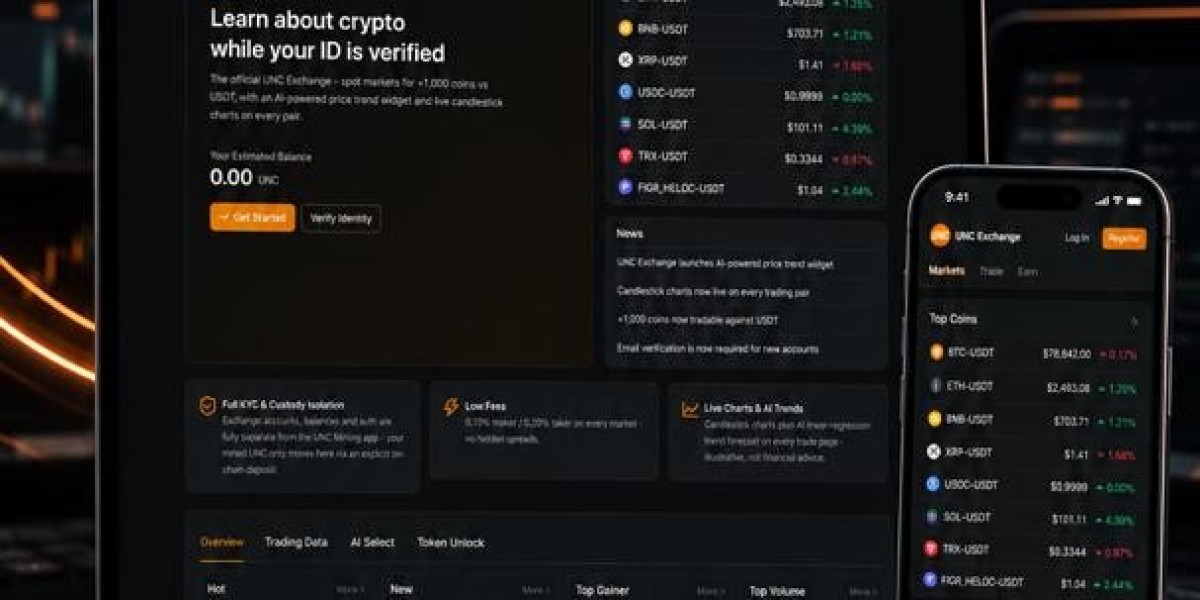

Cryptocurrency mining has traditionally been associated with powerful computers, specialized hardware, high electricity consumption, and technical knowledge. But the growth of mobile cryptocurrency projects has created a simpler way for beginners to explore the crypto ecosystem.
If you are wondering how to start mobile mining, the first thing to understand is that mobile mining does not always mean using your phone's processor to perform traditional cryptocurrency mining. In fact, many mobile mining applications use participation-based systems instead of computational mining.
This guide explains the basic steps beginners should take before starting, what to look for in a mobile mining application, and how to protect your account.
What Is Mobile Mining?
Mobile mining is a broad term used for cryptocurrency applications that allow users to participate in a crypto network through a smartphone.
Traditional proof-of-work mining requires substantial computing power. A smartphone is not designed to compete with specialized mining hardware. Many mobile mining applications therefore use alternative models in which the phone acts primarily as an interface for participation.
For example, some applications allow users to open a daily session and receive token allocations based on participation rather than the amount of computing power supplied by their device. UNC describes its own system as a participation-based model rather than traditional computational mining.
Step 1: Research the Mining Project
Before installing an application, research the project behind it.
Do not choose an app simply because an advertisement promises high cryptocurrency earnings. Look for information about:
Who operates the project
How the reward system works
Whether the token has launched
Whether withdrawals are available
What permissions the application requires
Whether the project publishes technical information
How user accounts are protected
What happens to your balance if the project closes
A transparent project should explain how its system works instead of relying entirely on attractive mining graphics or promises of future profits.
UNC's mobile-mining guides recommend evaluating the actual mechanism behind an application rather than relying on rankings or promotional claims.
Step 2: Download Only From an Official Source
Once you have researched a project, download the application only from its official distribution channel.
Avoid APK files sent through social media, messaging applications, unknown websites, or file-sharing services.
This is particularly important with cryptocurrency applications because a modified application can potentially be used to steal login credentials or other sensitive information.
UNC currently directs Android users to Google Play and warns against downloading repackaged versions from unofficial sources.
Step 3: Create Your Account
After installing a legitimate application, create an account using the information requested by the platform.
Use a strong, unique password that you do not use for other services.
If the platform supports two-factor authentication, enable it whenever possible.
Some cryptocurrency projects may also require identity verification. Before submitting identification documents, understand why verification is required and read the project's privacy policy.
Do not provide your recovery phrase, private key, password, or one-time authentication code to someone claiming to be customer support.
Step 4: Understand the Mining Mechanism
This is one of the most important steps.
Before pressing a button labeled “Mine,” find out what the application is actually doing.
If the application performs computational mining, it may place a significant workload on your device. If it uses a participation-based model, your phone may perform very little computation.
UNC explains that its mobile system does not use the phone for cryptographic mining. Instead, users participate through mobile sessions and token distribution.
Knowing this distinction helps you understand battery usage, potential costs, and what your rewards actually represent.
Step 5: Start Your First Mining Session
If the project uses a session-based system, starting may be as simple as opening the application and pressing its mining or participation button.
Some applications use 24-hour sessions. Others may have different schedules.
The important thing is to understand whether you need to remain connected to the application continuously or simply start a session.
For example, UNC's current instructions tell users to tap Mine to begin a 24-hour session and return the following day to start another session.
This type of system is very different from leaving a computer running intensive mining calculations all day.
Step 6: Keep Track of Your Balance
Once your session starts, the application may show a token balance.
Do not automatically assume that the displayed balance equals cash.
A cryptocurrency can have a displayed balance without having an established market price or an available withdrawal mechanism.
This is especially important for projects that have not launched their mainnet. UNC currently states that it is pre-mainnet and that its pending balances do not currently have a market price or cash value.
Therefore, treat early-stage token balances as participation records rather than guaranteed income.
Step 7: Learn About Withdrawals
Before spending significant time with a mobile mining application, find out how withdrawals work.
Ask:
Can the tokens actually be transferred?
Then check:
Is the network live?
Is there an official wallet?
Can tokens be sent to an external address?
Is there a minimum withdrawal?
Are there transaction fees?
Is the token listed on an established exchange?
Is the displayed balance transferable or only pending?
If an application requires you to send money before allowing a withdrawal, investigate the requirement carefully.
Step 8: Protect Your Mobile Wallet
Security should be part of your mobile mining routine from day one.
Never share your private keys or recovery phrase with another person.
Be suspicious of messages saying that your account has been suspended and asking you to click a link. Cryptocurrency scams frequently use urgency to make users act before they have time to verify the request.
Also avoid storing recovery information in easily accessible screenshots, public cloud folders, or unsecured notes.
The safest approach is to follow the wallet provider's official security instructions and keep sensitive information private.
Step 9: Check App Permissions
An ordinary mobile mining application should not need unlimited access to everything on your phone.
Pay attention to permissions involving:
Contacts
SMS
Call history
Files
Camera
Location
Notifications
Some permissions may have legitimate purposes. For example, a camera can be necessary for identity verification.
But an application requesting unnecessary access should make you stop and investigate.
UNC's security guidance specifically recommends paying attention to the permissions requested by mobile mining applications.
Does Mobile Mining Use Your Battery?
The answer depends on how the application works.
An application performing intensive calculations directly on your phone can consume more battery and generate additional heat.
A lightweight participation-based application can have a very different impact because it is not continuously using the phone's processor for mining calculations.
UNC explains that the battery question depends largely on whether the application actually performs computation on the device.
This is another reason to understand the technology before installing an application.
Can You Make Money From Mobile Mining?
This is where beginners should be particularly careful.
Mobile cryptocurrency applications should not automatically be considered an income source.
A project's token may have no established market value, or its value may change significantly after launch. Even when a token becomes tradeable, there is no guarantee that its market value will remain high.
Instead of asking only, “How much can I make?” ask:
What exactly am I receiving, and can I actually use or transfer it?
That question provides a much more realistic way to evaluate a mobile mining project.
Common Mistakes Beginners Should Avoid
When learning how to start mobile mining, avoid these common mistakes:
Installing Unofficial Apps
Never assume an APK is safe simply because it uses the same logo and name as an official application.
Believing Guaranteed Profit Claims
Cryptocurrency prices and projects can change. A guaranteed-return promise should be treated with skepticism.
Paying to Unlock Rewards
Be careful with applications that suddenly demand a deposit to unlock a supposedly large balance.
Sharing Recovery Phrases
No legitimate support representative should need your wallet recovery phrase.
Ignoring Project Status
Know whether a cryptocurrency is pre-mainnet, live, tradeable, or simply displaying an internal balance.
Focusing Only on Referral Rewards
A referral system does not automatically prove that a cryptocurrency project has sustainable value. Evaluate the underlying technology and economics independently.
A Simple Mobile Mining Checklist
Before you start, ask yourself:
1. Is the application official?
Download it from a trusted source.
2. Do I understand how it works?
Know whether it performs actual computation or uses another participation mechanism.
3. What does my balance represent?
Determine whether it is transferable, pending, or simply an internal record.
4. What does the project require from me?
Check permissions, identity verification, deposits, and other requirements.
5. How do I protect my account?
Use a strong password and never share private credentials.
6. What are the project's limitations?
Read the official documentation instead of relying entirely on social media posts.
Final Thoughts
Learning how to start mobile mining does not require purchasing expensive hardware or becoming a blockchain expert. The first step is simply understanding what a particular mobile mining application actually does.
A responsible beginner should research the project, install the official application, secure the account, understand the reward mechanism, monitor the token balance, and learn the withdrawal rules before committing significant time or money.
Most importantly, remember that “mobile mining” can describe several very different systems. Some applications use computational mining, while others use participation-based token distribution. Knowing the difference makes it easier to evaluate applications realistically.
Mobile cryptocurrency can be an interesting way to learn about blockchain technology. The safest approach is to start slowly, understand the technology, protect your credentials, and never treat an unverified token balance as guaranteed money.